


Blog
Ergonomic Home Office: Your Ultimate Guide for Remote Work Success
Apr
Mastering Remote Work: You’re Ultimate Guide to Creating an Ergonomic Home Office for Productivity and Comfort
Remote work is a rapidly expanding workplace trend. The percentage of employees with access to remote work increased by 12.3% between 2012 and 2016, and it is expected that by 2020, half of all UAE workers would have this perk at their disposal. During the global pandemic, such figures were almost certainly far higher. If you want to be comfortable at work all day long, it’s on your boss or the HR department to make sure your desk is set up properly. It is now up to you, the remote worker, to make your house into a functional, ergonomic workspace. Luckily, you’ve found the right guide to help you through it all. Here is our guide to creating the perfect ergonomic home office, from the home office furniture you’ll need to buy to easy measures to help you stay healthy.
How to Formulate the Ideal Ergonomic Home Office
It’s unrealistic to think that you’ll be consistently happy, healthy, and productive in the workplace if certain conditions aren’t met. Create an efficient and healthy environment to work in by following these instructions.
Select the Right Chair / Sit in Style
The correct chair is the first and most crucial step. A typical dining chair, or one not designed for extended sitting, can cause discomfort in the back and neck after only a short time. You should get a chair for work that is made with ergonomics in mind so that it supports your body in all the right places (neck, back, arms, and legs).
The following is a list of, and a diagram of, the features you should be on the lookout for:
- Lumbar Support: Lumbar support is the use of padding at the base of the spine (the lumbar area) to alleviate pressure on the lower back.
- Height Adjustment: You need to be able to change the height of your chair so that both of your feet are flat on the floor while you work.
- Arm Rests: You can put your arms up on the armrests and relax. Once again, these must be height-adjustable to accommodate users of varying statures.
- Comfortable Fabric: On hotter days, you’ll appreciate the added breathability of mesh and other similar materials.
- Five-star Wheelbase: Flexibility is important for proper ergonomics. A five-star wheelbase allows you to effortlessly swivel and steer the chair, relieving strain on your body as you maneuver around tight spaces or reach for faraway objects.
Set Up Your Desk Perfectly / Maximize Productivity: Mastering Your Desk Setup for Success
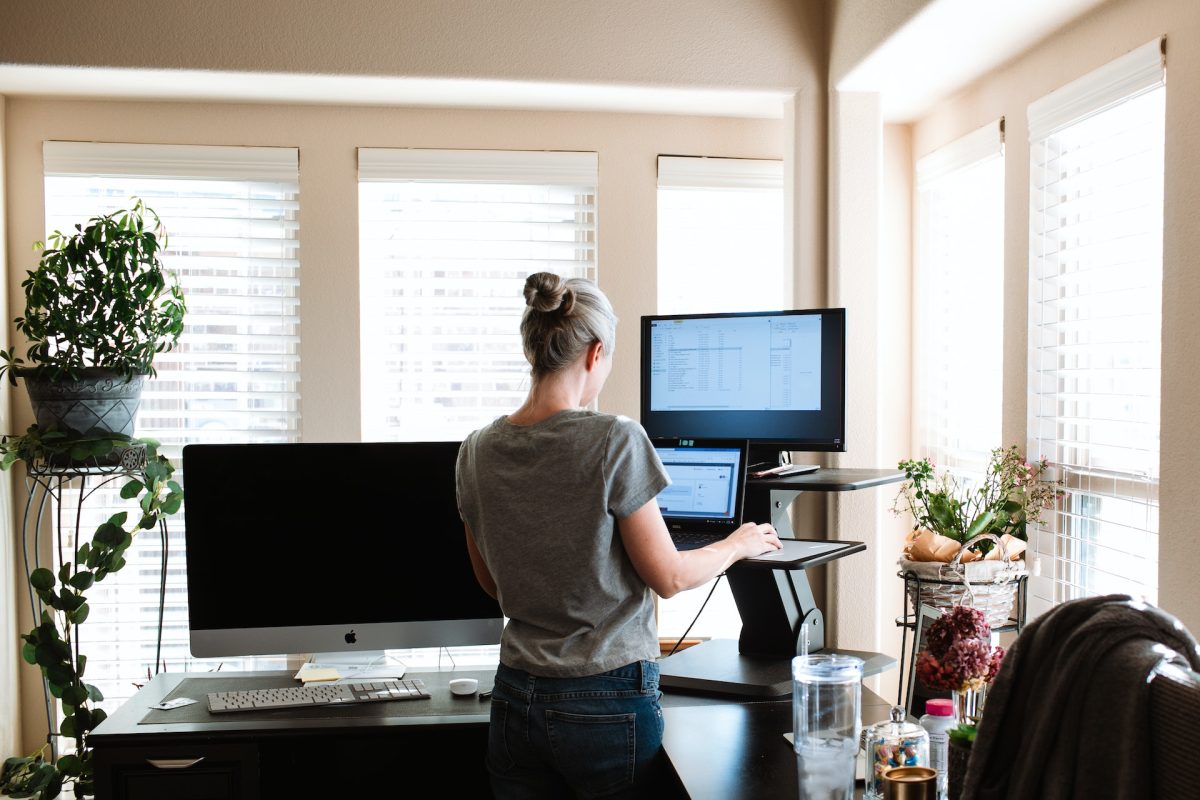
Your desk’s height is about the only adjustment you’ll need to make. You should be able to slide your legs under the desk while seated in your office chair, with only a few inches of clearance left. Investing in an adjustable home office desk is a great way to add versatility to your workspace. You can switch to standing desk mode and give your body a much-needed break from sitting all day. The only other thing you need to do is measure your keyboard, mouse, and monitor to make sure your desk is large enough to accommodate them all.
Perfecting Monitor Placement for Productivity and Comfort
You can easily cause unnecessary stress on your neck and eyes by setting your monitor in an awkward posture. Distance, first. Whether you set it too close or too far away, you will cause strain on your eyes. The optimal distance from your eyes to the screen is 20 inches (51cm). Try this brief test: when seated, extend one arm straight in front of you. Your middle finger ought to rest lightly on the screen. Thirdly, how tall you are? Placing your display so its top is at or slightly below eye level will save you from having to strain your neck.
Type and Click: Invest In a Good Computer Mouse and Keyboard
Ergonomic enhancements can also be performed with regard to computer input devices like keyboards and mouse. When shopping for such accessories, make sure to look for models that don’t force your arms and wrists out of their comfortable resting positions. To begin, keyboards should be slightly slanted away from you at an angle of about 15 degrees for optimal ergonomics. This is different from the design of most contemporary keyboards. Keyboards typically come with two little feet that raise them slightly off the desk. Using the forces your wrists into an awkward position whilst typing. If you want your wrists to stay as flat as possible while you type, you should get one that slopes away from you. The most effective ergonomic mouse is shaped to suit your fingertips naturally. This reduces the risk of developing nerve damage and chronic discomfort by unconsciously squeezing and tensing your fingers. Position the keyboard and mouse so that your hands naturally rest under them when you sit in a chair with armrests.
Workspace Wizardry: Crafting a Productive and Personalized Workstation
You now have the proper equipment, which you have hopefully placed strategically. Nothing you use frequently throughout the day should ever be out of reach, if at all possible. You should be able to easily access your keyboard, mouse, phone, notepads, and pencils. This reduces the cumulative stress your body experiences on a daily basis. You should end up with something resembling the picture on the right when you’re done.
Work-from-Home Comfort Hacks: Unlocking the Secrets to a Productive and Blissful Work-from-Home Day
You’ve got the foundation laid; all that’s left to do is add the finishing touches. You can maintain your happiness and health while working from home by following these simple, regular routines.
1. Schedule Frequent Breaks:
Taking pauses is beneficial for your health and productivity. You should get up and move around the house at least once every half an hour. Get up and move around, even if it’s just to make a cup of tea; it will do your body good.
2. Active at Work: Energize Your Day with Desk Exercise Hacks
Incorporate some light desk exercises into your day alongside your regular breaks. You don’t have to be a fitness nut to benefit from these three basic activities, which will help you relax and unwind:
- Chair swivels
- Raisers of the shoulders
- Twitches in the back
3. Always Communicate
Is more about your mental well-being than your physical health, but it’s crucial nonetheless. When you work from home, you don’t have to leave the house, but it can be lonely. Maintain a daily five-minute chitchat with your coworkers and supervisor over Zoom or Skype.
4. Location Shuffle: Boost Your Productivity with Workspace Variety
Constantly hunching over a computer screen causes strain on the spine. If you have the luxury of working in more than one space, try switching locations every so often. Leave your ergonomic equipment at your desk instead of lugging it around with you. If you spend a lot of time sitting at a desk, taking a break every so often to stretch your legs at the kitchen table or the couch is a great idea.
5. Work in Comfort: Elevate Your Productivity with Comfort-Boosting Tips
We realize it may be impractical to immediately get all of the aforementioned tools. It could take some time and money to get all you need. In the meanwhile, you can improve the comfort of your current furniture by adding cushions. Use a pillow or cushion instead of a regular chair’s hard seat. A rolled-up towel can be used as makeshift lumbar support in a pinch. Keep in mind that these are just band-aids. Long-term home office workers should furnish their spaces with ergonomic desks and chairs.
6. Posture Power: Enhance Your Workday with Healthy Posture Habits
Regardless of how many times we were instructed as children, not to slouch, the habit eventually forms. Pain in the neck and back might develop from slouching over time. Here are some simple pointers on how to sit properly, and a handy diagram is provided below.
- Keep your feet flat on the ground.
- Avoid crossing your legs.
- Knees and hips ought to form a 90-degree angle.
- Keep your back’s natural arch in place.
- Never slouch
When you don’t have to worry about ergonomics, it’s easy to put off learning about them until you start working from home. If you stick to the advice in this article, you should be able to set up a home office where you can get your job done without interruptions.
