


Blog
Office Space Saving Solutions for Your Desk
Mar
During the epidemic, a lot of individuals have started working from home, thus several companies have decided to downsize their offices to save money. It’s possible that in these workplaces, employees will use desk pods and smaller break-off rooms for Teams calls and group projects. But, it is not always simple to establish an office layout when square footage is at a premium. We have included some helpful desk ideas for small workplaces Office Space Saving Solutions in case you’ve recently relocated to a new office or are working from home and need some organization recommendations. Our discussion here will center on:
- How to Arrange Three Desks in a Small Office
- How to Arrange Two Desks in a Small Office
- How to Fit Two Monitors on One Small Desk
How to Arrange Three Desks in a Small Office
You may be wondering how you can fit three desks inside your office’s desk pods or other small shared workspaces. You may find the following suggestions for creating a functional working environment useful.
1. Make a row
If you have a long, narrow room, this is a great space-saving solution. Establishing a row of desks allows employees to easily distribute documents or other items to their colleagues. It also makes room for a sofa or storage choices such as a filing cabinet on the other side of the room.
2. Arrange the desks against various walls
If you have a square room, aligning desks against different walls might help improve communication and engagement among employees. This is a desk layout that may be used in both small and large office environments. By arranging your workstations in this manner, you will free up one wall and create space in the center of the room. The center space can be used for a sofa or a meeting table, and the spare wall can be lined with shelves for storage.
3. Make use of a double desk and a smart desk.
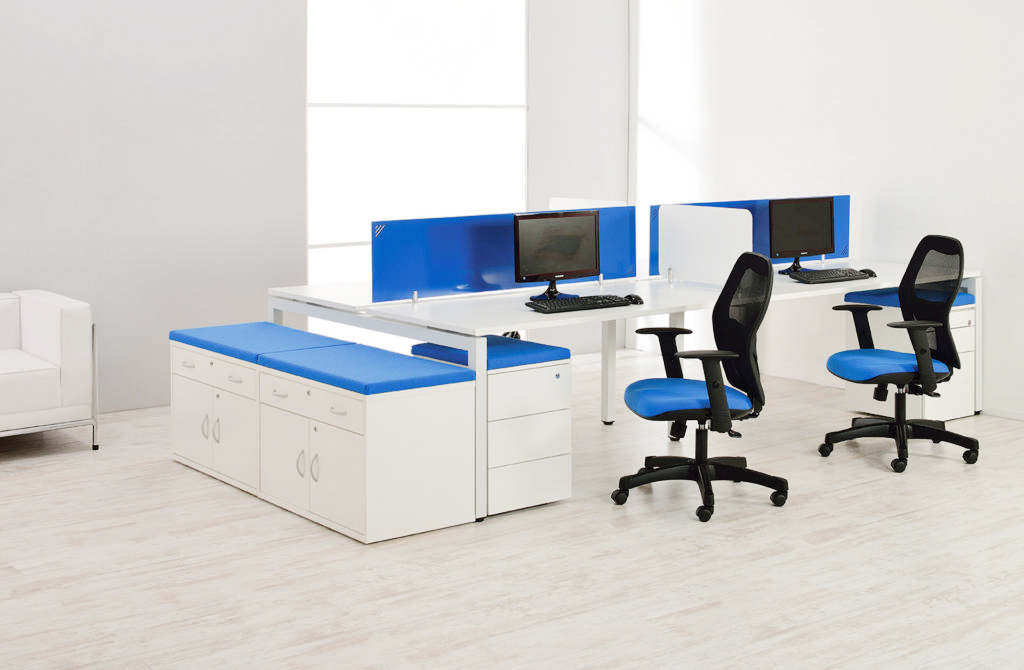
If you need to fit three workstations in a Small office, double office desks are an excellent choice. Their design allows people to work next to or across from each other at the same desk. When combined with a smart standing desk, you have a workspace for three people in a small space. Smart workstations are good for your health and posture, and they may be utilized as a hot desk to prevent employees from sitting all day.
How to Arrange Two Desks in a Small Office
We have some excellent suggestions for arranging two desks in a tiny office. This could be handy for companies planning a meeting space or for someone working from home with a buddy or partner who needs to accommodate diverse personalities and expectations.
1. Make two Distinct Zones
Having two distinct workspaces can be an excellent method to provide as much personal space as possible. You may wish to purchase the same desks and storage solutions for cohesiveness, but what you do with this area is entirely up to you. Put a standing or seated desk at each end of the space, and the rest is up to you.
2. Seating Adjacent to one another
Back-to-back seating in a two-person office area is an excellent technique to reduce distractions while yet allowing for collaboration. Place the desks close enough together so that you can turn around and talk if necessary, and use the space between you for shared storage, a bookcase, or artwork that you both appreciate.
3. Make good use of the Dining Table Space
If you don’t have a dedicated office area, a dining room table can serve as a makeshift workspace for two. You can have some privacy by sitting at opposite ends of a big wooden table, but you can still talk to each other all day long.
How to Fit Two Monitors on One Small Desk
Having two monitors on a cramped desk can help you get more done in less time. You can do research on one screen while working on a document on the other. Yet, it is not always easy to accommodate two monitors on one little workstation; therefore, we have devised several ingenious ways in which you can work productively and conserve space.
1. Make use of a Monitor Arm
By connecting one of your monitors to a phantom basement, you can have a second screen without taking up much desk space. The extra height given by the monitor arm also allows you to place a second smaller screen, as well as any papers or documents, on your desk underneath.
2. Expand the Available Space
If you have space for two monitors but not much else on your desk, you can add more room by installing a shelf or purchasing an extra piece of wood and screwing it to the underside of your desk. More screens can fit into your setup now.
3. Organizing the Wiring
Your workstation may become unusable due to the congestion of cables from your two monitors, laptop, and other devices. Just organizing your cables will make room for a second display. To aid in this endeavor, you might acquire a cable management tray or cable management kit tray.
This manual, along with some ingenuity and fresh furnishings, will assist you in maintaining an organized and efficient little office. Our site has further advice on how to set up a home office, store paperwork, and more.
